 costed plate
Understand what a saved ledger means
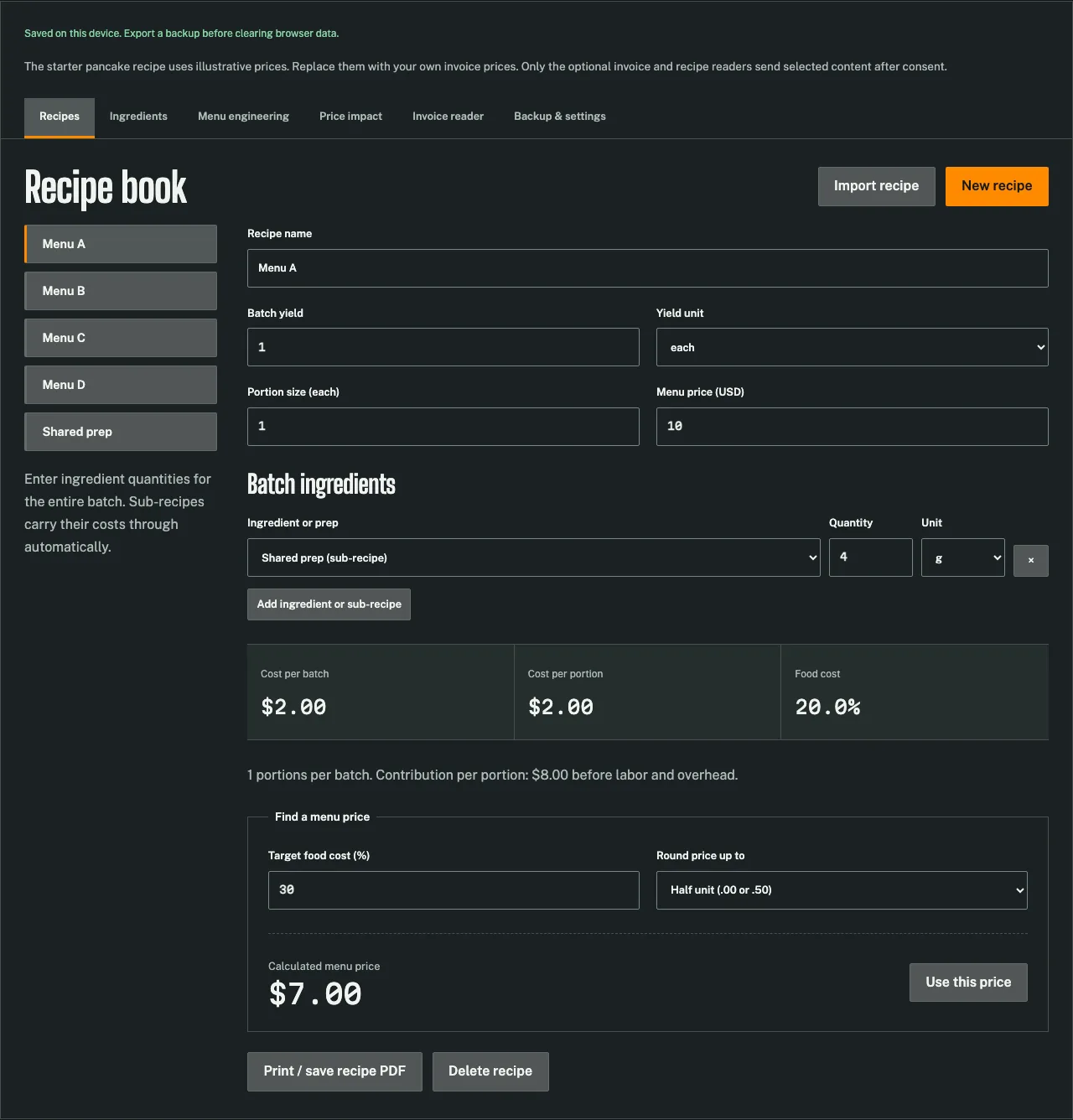
Costed Plate saves its working ledger in IndexedDB in the current browser. That lets the app reopen ingredients and recipes without an account, but it is not a cloud recovery service. Another browser, profile or device has a separate storage area.
Clearing site data can remove the ledger. Device failure or loss can also make it unavailable. The product team cannot retrieve a server copy because the recipe database is not uploaded there. A successful local save is therefore useful evidence of current storage, not a substitute for an independent backup.
Watch the save status after changing data. If the browser reports a storage problem, do not assume the latest values will survive closing the page. Export a validated copy of the current ledger and address the storage condition before relying on local persistence.
Choose a full backup format
The app exports JSON and structured CSV. Both include ingredients, recipes, sub-recipe relationships, settings and sales quantities. JSON represents the ledger structure directly; CSV uses a record column to distinguish different kinds of rows.
The downloadable spreadsheet templates are separate products. They are worksheets for manual spreadsheet use, not the app's backup schema. A generic ingredient list or recipe-cost spreadsheet cannot be treated as a complete ledger backup merely because its filename ends in CSV.
| File type | Intended use | Important boundary |
|---|---|---|
| App JSON export | Full structured ledger backup | Preserve the complete file |
| App CSV export | Full ledger in record-based rows | Keep headers, record types and references |
| Template XLSX or CSV | Editable costing worksheet | Not directly importable as an app backup |
Keep the file name and date understandable in your own storage. The app downloads a standard backup name; your download manager may add a suffix. Rename retained copies deliberately so an older backup is not mistaken for the latest working state.
Export after a meaningful change
Open Backup & settings and choose Export JSON backup or Export CSV backup. The app validates the ledger before producing the file. If an input or relationship is invalid, correct it before treating the export as a recoverable copy.
Save the download somewhere you control and can find again. A browser's temporary download view is not itself a storage plan. Use your normal file-management process to retain a separate copy when the ledger matters to the business.
Useful export points include a confirmed menu revision, a material supplier-price update and preparation for a device change. The guide does not impose a universal schedule; choose a routine that reflects how often your operation changes and how much work you could tolerate rebuilding.
Inspect the backup before relying on it
Check that the file exists and is not empty. For JSON, a text editor can show the ingredient and recipe sections. For CSV, inspect the headers and record types without casually re-saving through an application that might alter units, identifiers or formula-like text.
A visible file is still weaker evidence than a restore test. A complete test imports the backup into a separate browser profile or an expendable working ledger, confirms the preview and checks representative recipes. Keep your current ledger exported before any test that could replace it.
Do not send a complete confidential ledger merely to ask a product question. If a problem can be reproduced with a small example containing invented names and prices, that smaller file is usually easier to inspect and shares less business information.
Understand the replacement workflow
Choose a Costed Plate JSON or CSV file in the import control. The file is read on the device. The app validates the entire structure before showing the number of ingredients and recipes and the currency in the preview.
The preview is not the replacement itself. Review it and choose Replace ledger with this backup only when you intend to replace the current ledger. Cancel import leaves the current working data in place. Export the current ledger first if it contains anything you need to retain.
After replacement, inspect the save status before closing the page. Then check representative ingredients, a parent recipe with a sub-recipe and a menu item with sales quantities. A successful parse does not replace a practical check that you selected the intended file.
Know what validation protects
The importer rejects unsupported units, nonfinite numbers, duplicate identifiers, missing references and circular recipe relationships. It also checks required structure and sensible numeric boundaries. Invalid input does not partially replace the working ledger.
Those checks protect structural integrity, not the truth of every business input. A positive but incorrect pack price can still be valid data. A recipe can contain a plausible quantity that does not match the kitchen's portion. Review the content as well as the file's technical validity.
CSV quoting preserves names containing commas or quotation marks. The exporter also treats formula-like text as text when preparing CSV fields. Avoid editing structural identifiers casually in a spreadsheet, because other rows may refer to them.
Separate backup replacement from reference loading
Ingredient and dish pages can open a prefilled reference in the app. That workflow asks for confirmation and merges the referenced records. Existing matching ingredients keep their current ledger prices. It is intentionally different from restoring a complete backup.
A dish loaded from a public reference can therefore cost differently in your ledger if a matching ingredient already has a local price. That is expected behavior, not proof that the reference arithmetic changed. Check the purchase records and decide which prices you intend to use.
The full backup importer replaces the ledger after confirmation. Do not assume that choosing a backup will merge every ingredient with the current data. The interface states the replacement boundary so the decision can be made before the write.
Currency labels do not convert money
The currency setting changes how amounts are labeled and formatted. It does not fetch exchange rates or convert stored purchase prices. If you move a ledger between currencies, reconcile the amounts yourself using an appropriate source and method.
For example, relabeling a US retail reference as Australian dollars does not make it an Australian invoice price. Preserve the source geography and currency when using reference data, and enter local purchase amounts for an operational ledger.
Keep one currency basis throughout a working model. Mixing amounts without conversion can produce a mathematically consistent total that has no useful financial meaning.
Recover with a controlled check
When restoring after a device change, begin with the latest retained complete backup. Confirm the preview, apply the replacement and inspect the representative records. Export again only after you have established that the restored state is the intended one, so an accidental empty ledger does not overwrite your useful recovery file.
Use the browser ledger for the export and import controls. The recipe-costing guide helps verify a restored portion, and the privacy explanation describes why local storage and optional invoice processing have different data flows. Keep your backup routine as explicit as your recipe method.
Questions from the kitchen
Are the spreadsheet templates app backups?
No. Use the structured JSON or CSV exports from the app for a complete ledger backup.
Does import merge every file?
Backup import replaces the ledger after validation and confirmation. Ingredient and dish reference links use a separate confirmed merge workflow.
Can the team restore a cleared local ledger?
No. The recipe database is not uploaded to a server, so recovery depends on your exported copy.
Sources and method
Checked October 30, 2026. Example inputs and computed results are identified in the text.
- Product limits and data handling. Costed Plate. Application limits are enforced in the source code. Local examples are explicitly illustrative. Checked 2026-10-30.